This is a live replica of the app. Click the sidebar, or use Next: to walk the same 7 stops every new account sees on day one.
app.closedbyfriday.com
Your CRM
Good morning 👋
New leads today
3
2 from Facebook
Unread messages
2
oldest waiting 14m
Tasks due
5
1 overdue
Appointments
1
2:00 PM, listing consult
Who to call next
✨ Rank my day with Claude
MR
Maria Reyes
Buyer · Facebook, pre-approval expiring
score 91
DT
Dan Torres
Refi inquiry · called twice, no answer
score 84
KW
Kim Wu
Open house, asked about schools
fresh
Contacts · 1,284 people
Source: Facebook ✓No touch in 30 days ✓Has phoneTag: past-clientSave as Smart List
JB
James Brooks
Facebook · last touch 42 days ago
score 77
AP
Anita Patel
Zillow · last touch 35 days ago
score 71
RG
Rob Garcia
Referral · last touch 31 days ago
score 65
⬆ Import CSV✨ Score with Claude
Pipeline · $412,000 open
New
Maria Reyes
$9,000
buyer · Sam
Kim Wu
$7,500
buyer · you
Pre-Approved
Dan Torres
$5,200
refi · you
Active Deal
The Hendersons
$12,400
seller · Sam
Closed / Funded
Lopez family ✅
$8,800
won Aug 12
Team Inbox ⏱ oldest reply waiting 14m
MR
Maria Reyes
“Is Saturday still…”
DT
Dan Torres
“What rate can I…”
Hi! Is Saturday still good for the showing at 41 Maple? 🏡
Saturday works, 11am. I'll send the address & a reminder the night before.
Perfect. Also, do we need to redo the pre-approval? It says it expires next week.
IntroductionFollow up ✓Book a meetingRe-engage
✨ Draft with AI, reads the whole relationship first
Automations · from the built-in library
Buyer New Lead · ONOpen House Follow-Up · ONPost-Closing · pausedBrowse library
1 Stop everything the moment they reply guardrail
2 SMS: “Hi {{first_name}}, saw you asked about 41 Maple…” instant
3 Wait 1 day delay
4 AI-written follow-up text, in your voice ai sms
5 Wait 3 days → personal email + task to call email + task
Calendar & booking page
August
1011121314151617181920212223
Your public booking link
app.closedbyfriday.com/book/you
Like Calendly, except every booking lands in your CRM as a lead, with confirmations and reminders sent for you.
Share link
KW
Buyer consult, Kim Wu
Wed Aug 20 · 2:00 PM · booked from your page
confirmed
Make it yours
Get the app
Install on your phone in 10 seconds, push alerts for every new lead and message.
Install
My staff
Invite your team with per-feature permissions. Agents see what you allow; admins see everything.
Add member
Lead routing
Round-robin new leads across the team, the assignee gets an instant push. Speed to lead wins deals.
Turn on
Texting (A2P)
Fill in your business once, we file your carrier registration for you. Approval typically takes 1–3 business days.
Integrations
Facebook Lead Ads, Dotloop, calendar sync, and lead-capture forms that fire your automations.
Today, your morning screen
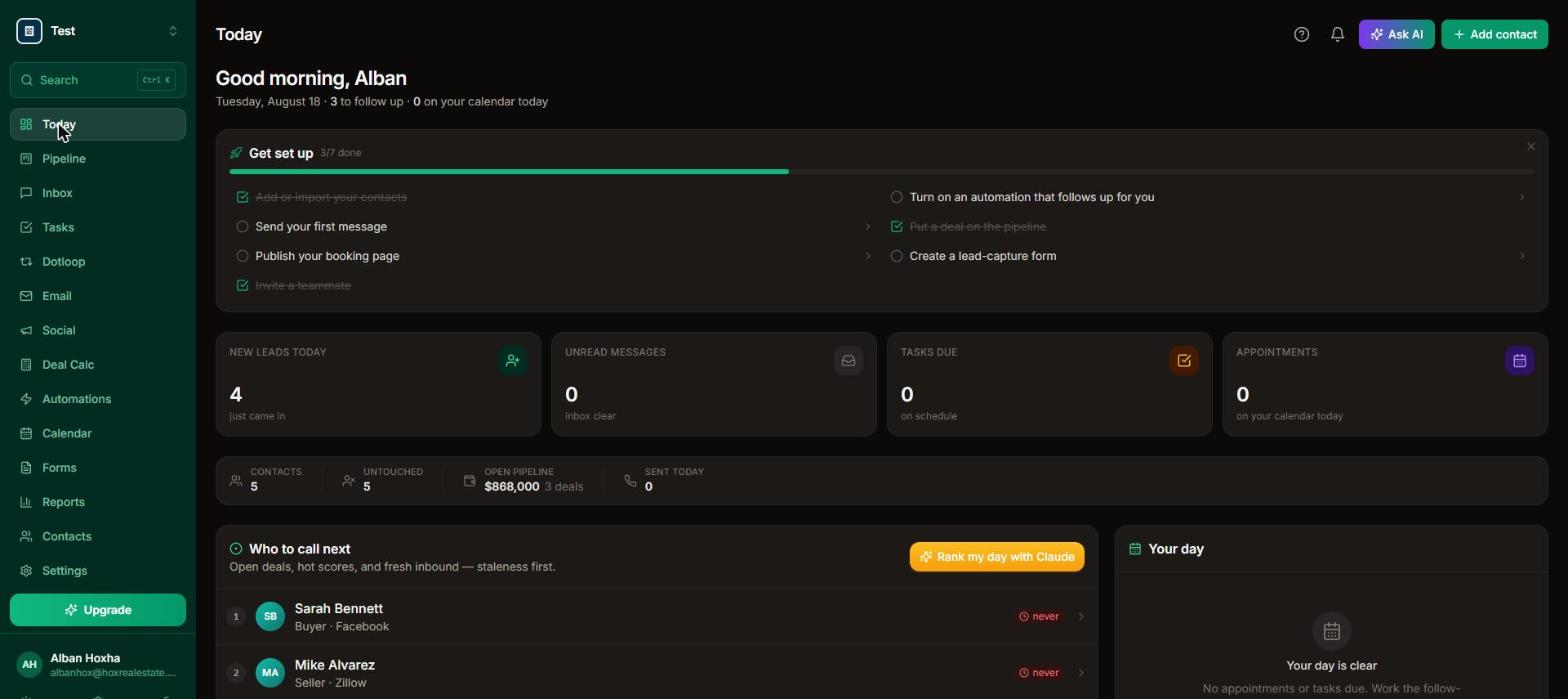
Stats up top, tasks due now, today's appointments, and a “Who to call next” queue sorted by urgency, open deals, hot scores, and fresh inbound first.
✨ Try this: “Rank my day with Claude”, the AI orders your follow-up queue and tells you why each person is next.
📸 The real screen, click to enlarge
Your first week, step by step
The same “Get set up” checklist you'll see inside the app. Do these seven things and the system runs itself.
Import your contacts Contacts → Import CSV
Export a CSV from your old CRM, or any spreadsheet with name, phone, and email columns, and drop it in. Duplicates are detected by email and phone automatically, and your tags and sources come across.
Nobody gets blasted: imports never trigger automations, so no one receives a surprise text when you move in.
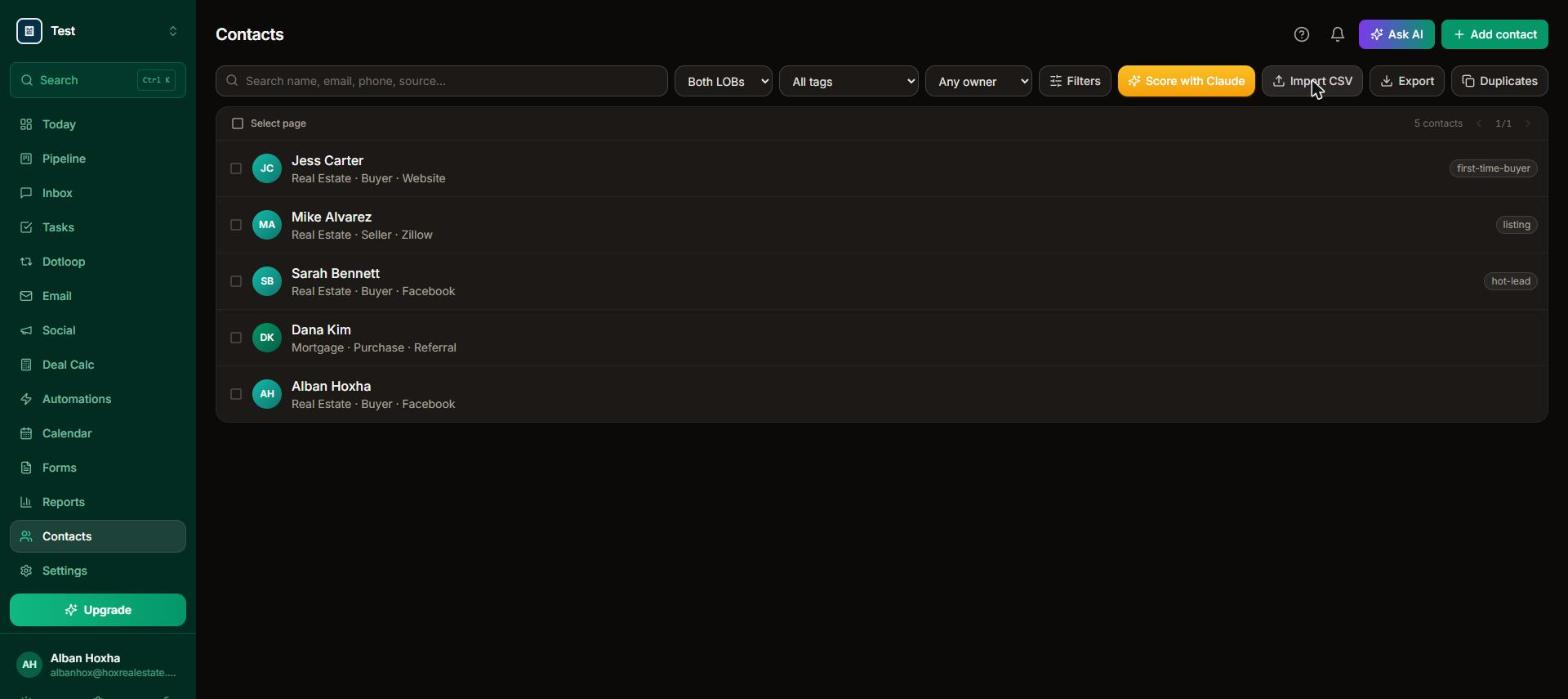
The Contacts tab, Import CSV lives top-right, and every contact can carry tags like “hot-lead”.
Send your first message Inbox / any contact
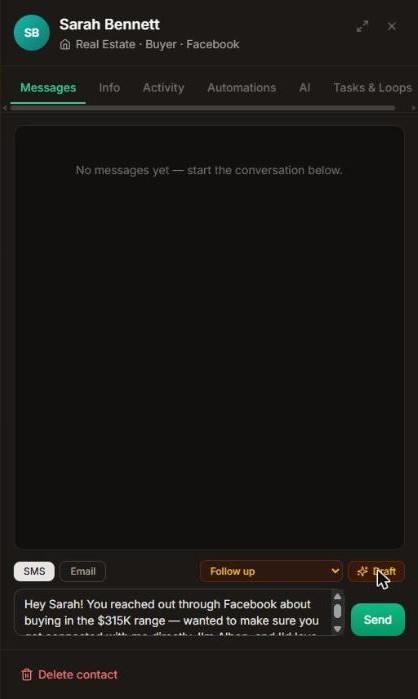
Open any contact, pick an intent (Follow up, Re-engage, Book a meeting…), and hit Draft, the AI reads the whole relationship before it writes, and nothing sends until you press Send. Or type it yourself and save it as a template for the whole team.
A real AI draft, pick the intent, hit Draft, review, then Send.
Publish your booking page Calendar → Booking page
Your personal scheduling link, like Calendly, except every booking lands in your CRM as a lead with confirmations and reminders handled. Put it in your email signature and social bios first.
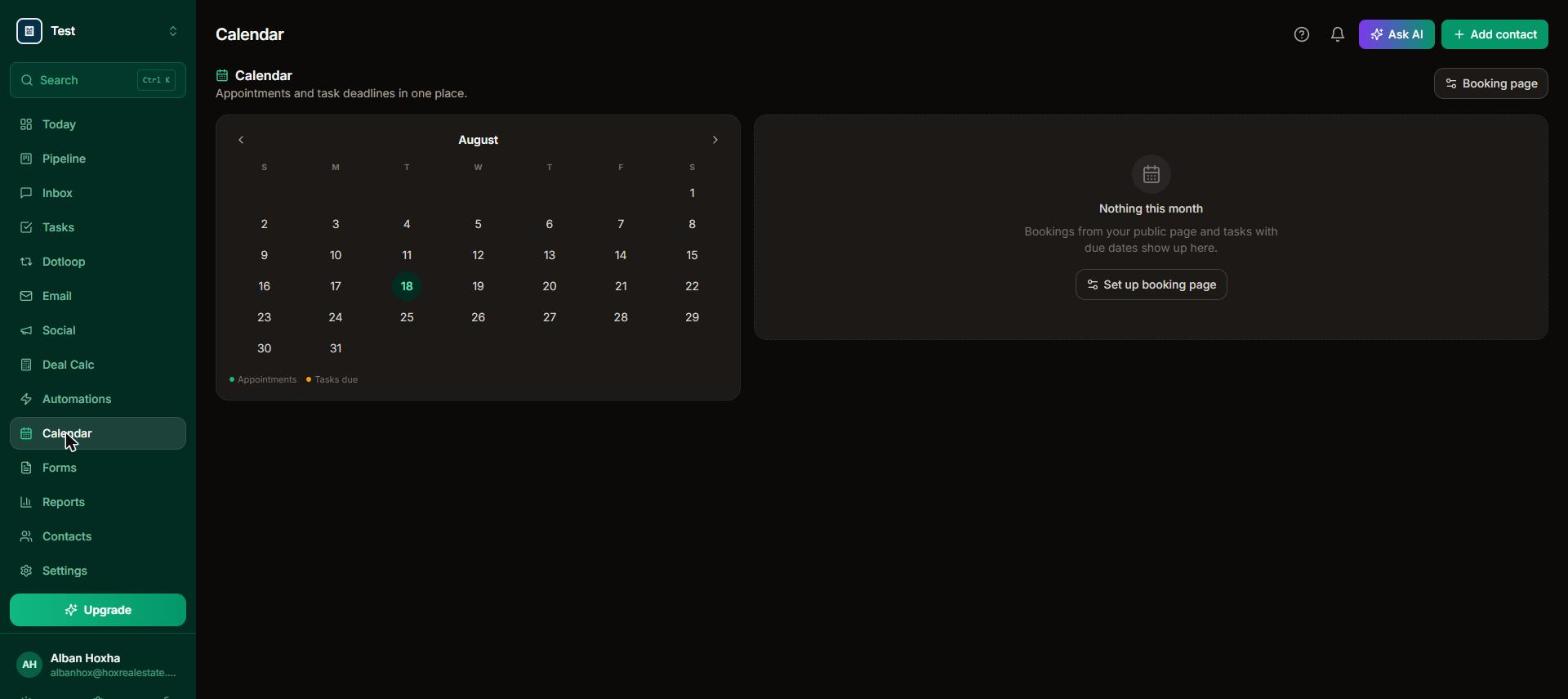
Calendar shows appointments and task deadlines, “Set up booking page” takes about a minute.
Invite your team Settings → My Staff
Add each person with their email and a role. Agents see only what you allow (permissions per feature); admins see everything. Each teammate installs the app on their own phone with their own login.
Turn on an automation Automations → Browse library
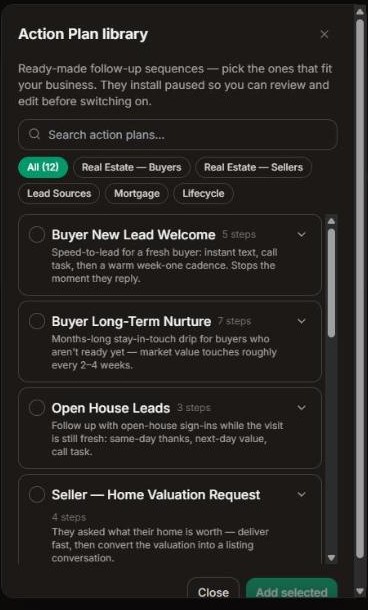
Check the ready-made action plans that fit, Buyer New Lead, Open House, Expired Listings, Post-Closing, and click Add. They install paused so you can review every step first, then flip the toggle. Every sequence stops automatically the moment a lead replies.
The Action Plan library, 12 ready-made sequences; tick the ones you want and they install paused.
Put a deal on the pipeline Pipeline / any contact
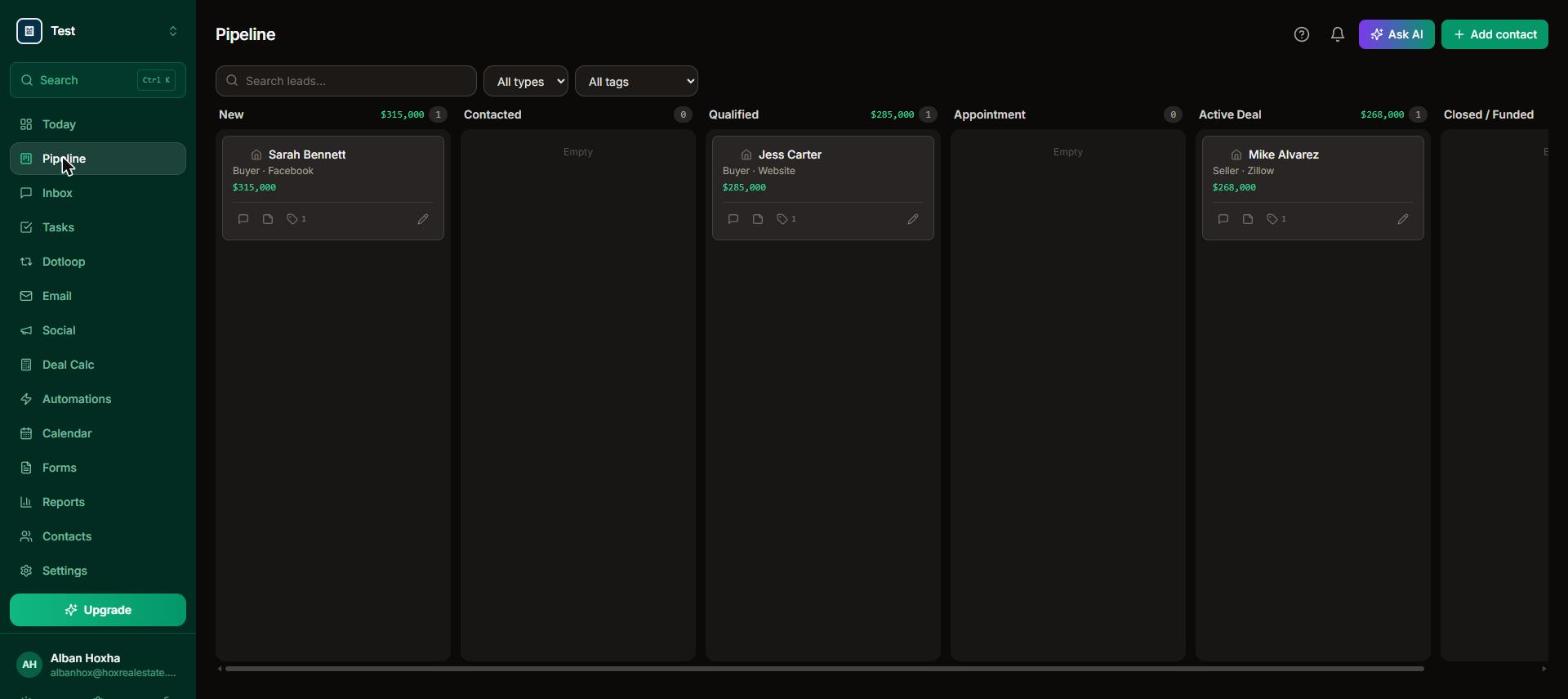
Open a contact → Add to pipeline → pick the stage, value, and owner. Drag cards between stages on the board; mark them Won or Lost with the pencil so your Reports stay accurate. Run separate boards per line of business, e.g. Real Estate and Mortgage.
The board, every column shows its total value, and cards drag between stages.
Create a lead-capture form Forms → New form
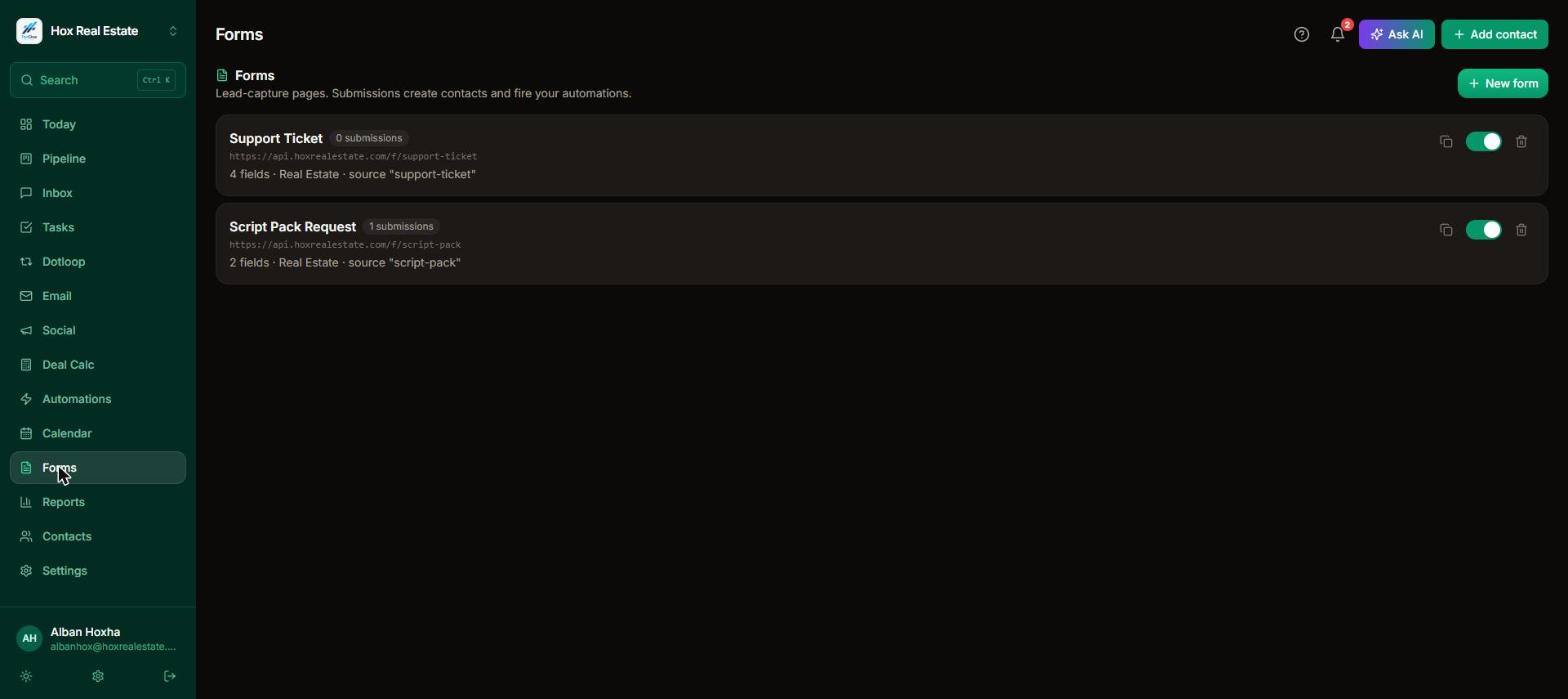
Build a form, embed it on your site or link it from ads. Submissions create contacts instantly and fire your automations, that's how “new lead” sequences start (never from imports).
Each form gets its own hosted link you can drop anywhere, ads, bio, email signature.
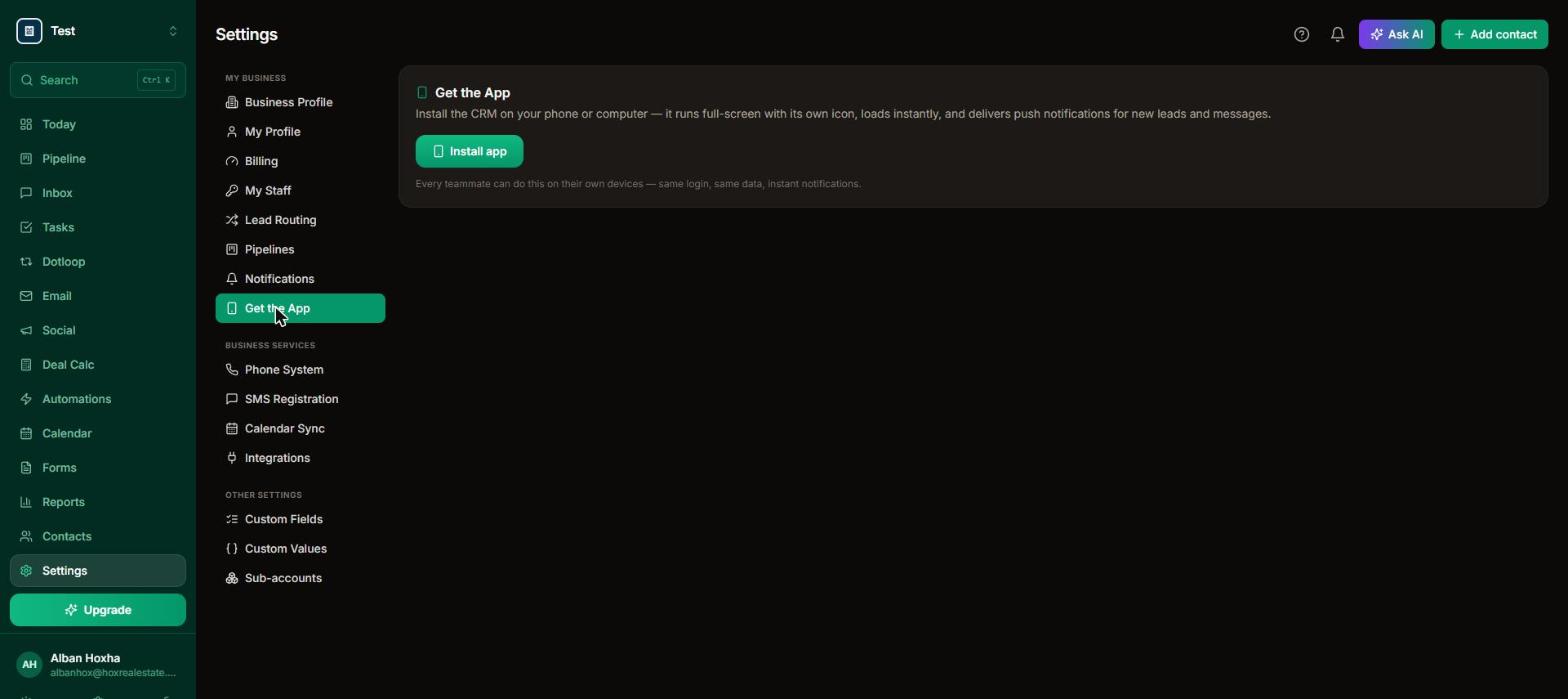
📱 Don't skip the phone app. Settings → Get the App installs it in about 10 seconds (one-click on Android/Chrome; Share → Add to Home Screen on iPhone). It's how you get push notifications the second a new lead comes in, and speed to lead wins deals.
Contacts → Import CSV. Export a CSV from your old CRM (or a spreadsheet with name, phone, email columns) and drop it in. Duplicates are detected by email and phone automatically, and tags/sources come across. Imports never trigger automations, so nobody gets a surprise blast.
How do I get the app on my phone?
Settings → Get the App. On Android/desktop Chrome there's a one-click Install button; on iPhone it walks you through Share → Add to Home Screen (10 seconds). The installed app gets push notifications for new leads and messages.
How do I invite my team?
Settings → My Staff → add each person with their email and a role. Agents see only what you allow (permissions per feature); admins see everything. Each teammate installs the app on their own phone with their own login.
Is there a guided tour of the app?
Yes, every new account gets a 7-step welcome tour on first login, and you can replay it any time from the Help panel (the ? button, top right) → “Replay the welcome tour.”
Contacts & smart lists
What's a Smart List?
A saved search. Set any filters on the Contacts tab (source, tag, last touch, has phone…), then click “Save as Smart List.” It appears as a chip above the contact list for the whole team, one click brings the exact same slice back, always current. A great first one: “No touch in 30 days”, that's your money list.
How do tags work?
Tags are free-form labels (open a contact → Info tab → add tags, or select multiple contacts → Add tag). Filter by them anywhere, target email lists with them, and let automations add or remove them as steps.
How do I merge duplicate contacts?
Contacts → Duplicates. It groups people sharing an email or phone; pick the record to keep and everything (messages, notes, deals, tasks) merges into it.
What does the number badge next to a contact's name mean?
That's their AI lead score (0–100), the likelihood they'll transact soon, based on engagement, recency, and pipeline progress. Refresh scores with “Score with Claude” on the Contacts tab.
Inbox & AI
How does AI drafting work?
In any conversation (or a contact's Messages tab), pick an intent, Introduction, Follow up, Check in, Book a meeting, Re-engage, After appointment, or Custom, and click Draft. The AI reads the full relationship (messages, notes, deals, appointments) and writes in context, signed with your name. Nothing sends until you hit Send.
What are message templates?
Reusable snippets. In the composer, click Templates to insert one ({{first_name}} fills in automatically) or save what you've written as a new template for the whole team.
What's the red timer in the inbox?
How long the oldest unanswered inbound message has been waiting. It's your speed-to-lead scoreboard, clear it by replying or marking the thread read.
Why can't I send texts yet?
Texting activates once your business number is registered (A2P, a carrier requirement for business SMS). Fill in your business once under Settings → SMS Registration and we file it with the carriers for you; approval typically takes 1–3 business days. Until then, sequences still run their email, task, and tag steps, and text steps are logged as skipped.
Automations
How do I set up my first automation?
Automations → Browse library → check the plans that fit (Buyer New Lead, Open House, Post-Closing…) → Add. They install paused; open one with the pencil to review or tweak, then flip the toggle to activate.
Will automations message people I import?
No. CSV imports deliberately never trigger “new contact” automations. Sequences start from new leads (forms, bookings, ads), manual enrollment, or the stale-lead sweep, which has strict guardrails.
What stops a sequence?
A reply (if the plan includes “Stop if they reply”, all library plans do), pausing or stopping it on the contact's Automations tab, or deactivating the whole automation.
What's lead routing?
Settings → Lead Routing. Turn it on and pick your rotation pool; new inbound leads are auto-assigned round-robin and the assignee gets an instant push notification. Speed to lead wins deals.
Pipeline & deals
How do I add a deal?
Open a contact → Add to pipeline → pick the pipeline, stage, value, and owner. Or drag deals between stages right on the board.
How do I mark a deal won or lost?
Click the pencil on the deal's card → Mark Won or Mark Lost. It moves the deal to the right stage too, so your Reports stay accurate.
Can I have more than one pipeline?
Yes, Settings → Pipelines to create boards (e.g. Real Estate and Mortgage) and customize stages. Switch boards with the dropdown on the Pipeline tab.
Billing & account
What does the free plan include?
250 contacts, 1 user, pipeline, tasks, booking page, forms, and 25 AI actions/month. Upgrade in Settings → Billing whenever you're ready, plans are month-to-month.
How do I upgrade or manage billing?
Settings → Billing shows your plan and usage meters, with self-serve upgrade and a “Manage billing” portal for cards and invoices. Need more AI, email, or SMS in a month? Top-up packs are right there.
Is my data really mine?
Yes. Export all contacts to CSV anytime (Contacts → Export). Cancel and your data goes with you. Sub-accounts are isolated from each other at the database level.
Do you have contracts?
No. Everything is month-to-month; cancel from the billing portal whenever.
How do I get help if I'm stuck?
Three ways: the Help button (?) inside the app has answers and can replay the welcome tour; you can open a support ticket right on this page and a human replies by email, usually the same day; or email [email protected] directly.
Need a hand? Open a ticket
Didn't find your answer above? Send us a ticket, it lands directly with our support team and a human replies by email, usually the same day.
Ready to see it with your own data?
Start free, import a spreadsheet, and take the in-app tour, you'll be set up in an afternoon.